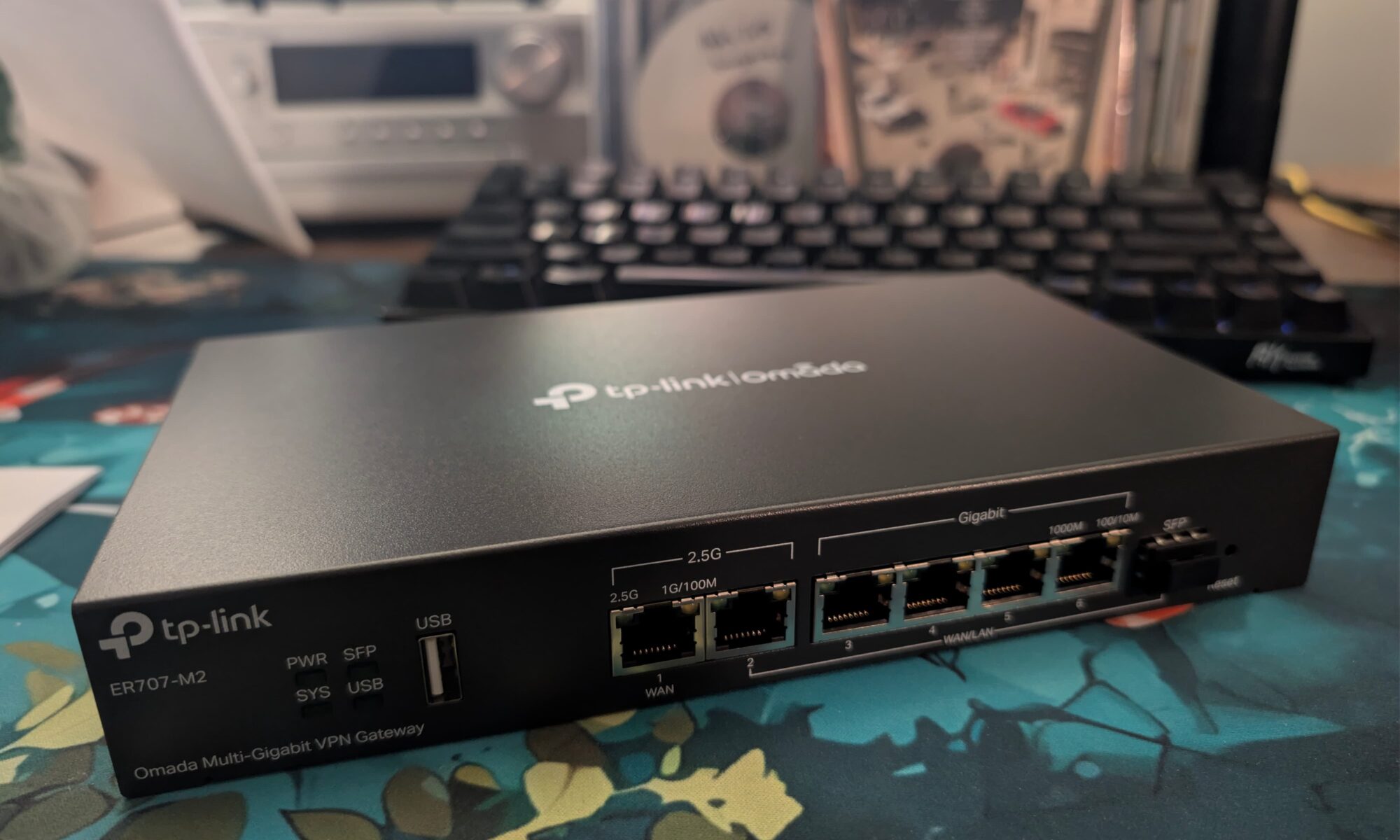
When I first moved back to Australia, I splurged a little on a new Internet router. I went with Google Wifi (now Nest Wifi) because they looked really pretty and the big name was reassuring against the backdrop of crappy brands with outdated software getting hacked all the time.
It turned out to be a medium sized mistake, because it didn’t work very well, the app was slow and buggy, and it just kinda sucked. But it worked fine enough for the past five years, until last week when it started glitching out.
First it disconnected from the mothership in the cloud so I couldn’t login to see what was happening. Then, slowly but surely, chunks of the Internet started disappearing. I rebooted to see if that would fix anything, but the router never came back up and completely took out my internet.
I swapped over to a 4G router and plugged my personal SIM card in. That ran ok for a while until I realised I could also use it to route directly into the NBN. But it was a fiddly solution so I wanted to replace it as soon as possible.
Replacing my router
I already have a separate wifi point set up, so I don’t need wifi in my router. This made things easier and cheaper. I asked around the Internet on my shortlist ended up looking like this:
- TP-Link Omada ER707-M2 – the cheapest option, thank you China. A 2.5 gbit router with little else going for it.
- Ubiquiti Cloud Gateway Max – a very pretty, more capable option for more than double the price. I was tempted by the shiny marketing, but I’m very reluctant to spend my money in the Untied States given the current social and geopolitical bullshit.
- NanoPi R6S – a single board computer, that runs OpenWRT or your own choice of Linux if you want to tinker. This looks kinda awesome, but shipping was exorbitant and the prices on AliExpress left a bad taste. Also it wouldn’t arrive until next month anyway.
So I got the Omada. Paid ten bucks for shipping via Uber and it arrived a couple of hours later, before sitting in the box until I finished work and plugged it in.
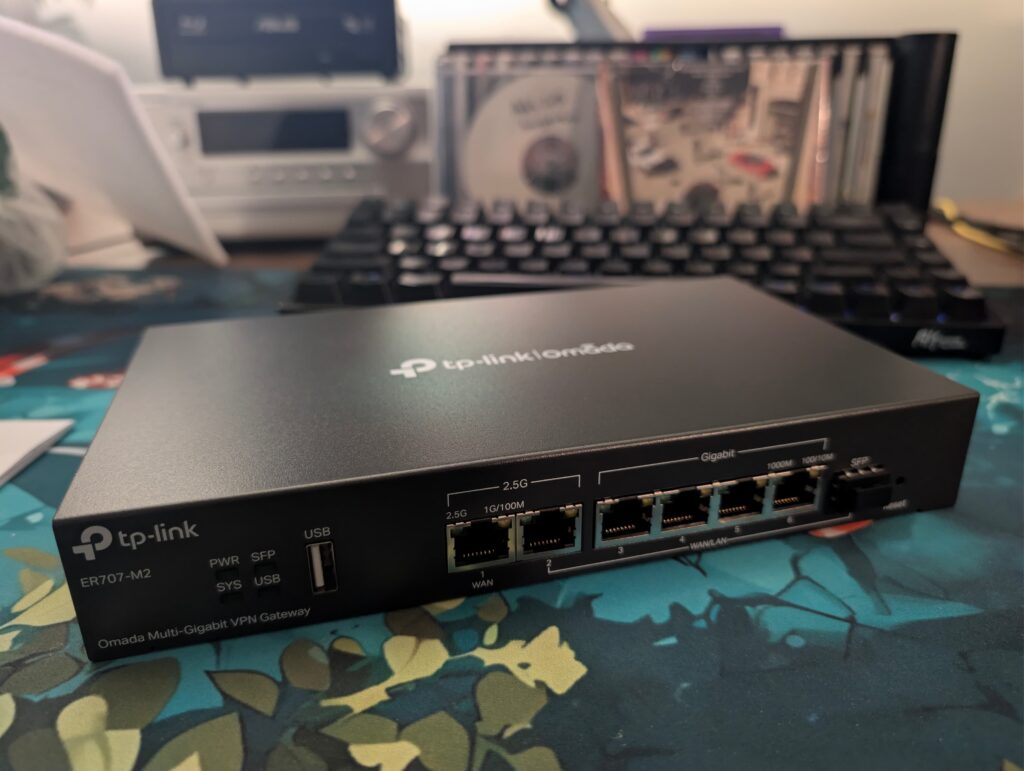
I also want to thank the bne.social community who have been donating money into the pile to keep the server going. We dipped into the kitty to replace this one, and though I feel very weird about taking people’s money, it’s a pretty necessary investment.
TP-Link Omada ER707-M2
Unforch I don’t especially like it.
Physically it’s great; it’s a solid metal chassis which harks back to the blue Netgear routers of old. Feels premium. But mentally, the software kind of sucks.
I haven’t been able to get IPv6 working yet because it doesn’t support it by default. I’ve poked around and managed to get a WAN assignment, but local machines still can’t see out to the internet. The inline help is daft to the point of useless, and the docs are questionable at best.
Also frustratingly while there’s an option to enable MDNS, it doesn’t seem to do anything so I can’t resolve any local hostnames. I didn’t even realise that was a router feature until I bought one that didn’t do it. It does have an option to add custom DNS entries, but I can’t get them to work either, and it seems to be a widespread issue.
So it’s a bit of a weird one. To me that rules it out for home or small business use, which leaves me wondering: who is this even for? Cheap idiots like me? Ultimately it’s been a huge fuck-around and I’m somewhat regretting not waiting and going the simpler Linux route.
The dim home: when the smarts go away
To add insult to injury, when the router died it took out my smart home with it. Suddenly none of my lights or outlets were online, which meant my cosy, low-light collection of lamps and accents were no longer usable. The fish tank wasn’t turning on, the bookshelf wasn’t illuminating, the little bulb with the patterns by the couch was dark, and the miniature salt lamp? You guessed it: out like a light. On the flip side, the lamps either side of my bed got stuck at full brightness, so come bedtime I had to reach down into the cobwebs at the back to flick them off at the wall.
But perhaps the most insulting thing was I had to use the big lights. And even worse, they were all configured at different colour temperatures. Yucko.
“The big light is for interrogation purposes only”
All my smart stuff runs through Home Assistant which I quite like. But most of my hardware is run over Zigbee through a hacked dongle running custom firmware that I just couldn’t get talk to me any more, which meant I couldn’t control any of my lights or switches.
I was exhausted after a week at work and not really mentally in it, so I bought the Home Assistant Connect ZB-2 zigbee/thread adapter to replace it. I was hesitant because B has a massive and vocal Home Assistant grudge after he bought into a hardware product they overpromised and completely failed to deliver on. But having seen some reviews, and read their fairly frank explanation of what this thing is and what the limitations are, I figured I’d take a punt. I paid express post so thanks to the inconveniently located weekend non-delivery schedule, it’s going to arrive next week.
On Saturday, B came over and started poking around at the dongle, and we pretty quickly discovered that it’s working completely fine. It was just that the IP address had changed so Home Assistant couldn’t find it. Duh, in retrospect. But now everything works again.
I also took the opportunity to pair my original first gen Lifx colour bulb that’s been sitting disconnected in my desk lamp after it randomly stopped working a year or so back. I’d tried to set it up a few times since, but when I paired it this time, the app helpfully told me why it wasn’t working: this version of Android was too new to connect to the bulb. So I pulled out my emergency iPad, charged it up, and got this ancient thing back online. I bought the light bulb in a black Friday sale back in 2014, and it’s travelled the world with me since. Kind of cool.

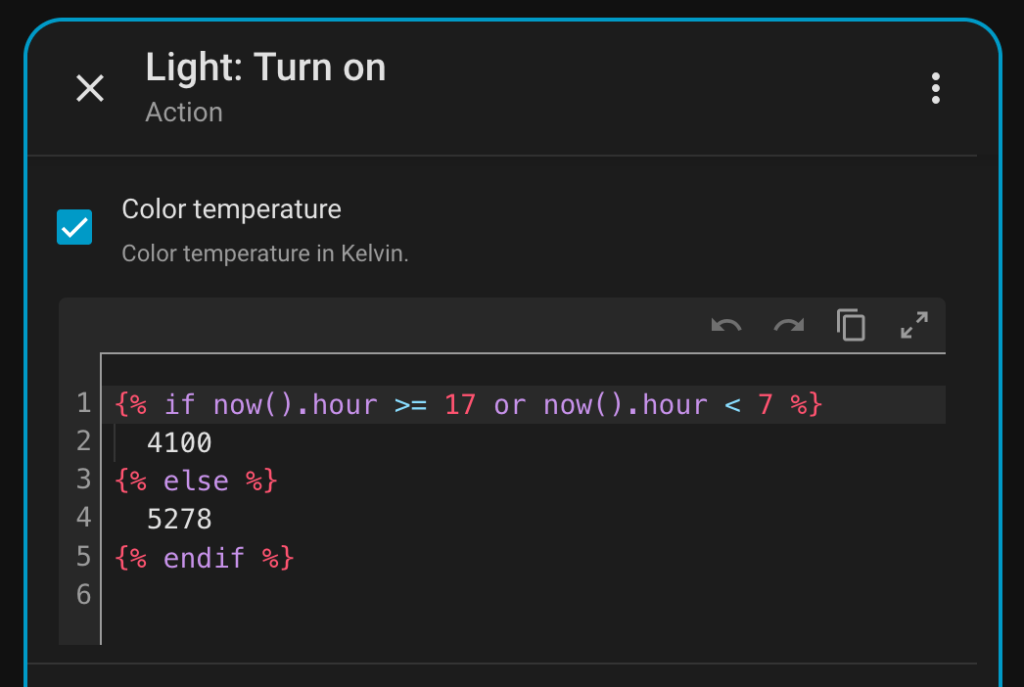
The final thing I’m happy about was setting up a little automation to make sure all my Big Lights are in sync colour temperature-wise. I was really impressed with Gemini, it combined all my requirements into one automation, and I learned a bunch in the process. The Home Assistant GUI is fine enough, but having Gemini create snippets I could edit with YAML, and have them appear back in the GUI is very, very cool actually. I had no idea you could use multiple triggers, or add template logic in values.
Ultimately: this whole thing has been a pain in the butt. I don’t want to have to deal with any of this but I have dug myself into a deep home automation hole in particular.
My place is dark, so I do really like having my lamps and lights come alive in the morning and turn off at night. It’s kind of a SAD lamp situation. I also have a bunch of indoor plants and a fish tank that are only alive because of these automations, so there’s really no going back now.
So I don’t know. Now I’m back online I will have to make peace with the situation and make things as resilient as possible. One of the ways is by disconnecting my automations from the internet completely, but I’ll never be able to disconnect them from my home network. Maybe. Let me know if you have a good zigbee switch that doesn’t burn through batteries.